
Vinidex manufacturers and supplies a broad range of products & systems to suit a range of applications.
Vinidex’s products and systems are versatile and can be used in a variety of markets and applications.
Choosing Tws Wireless Earbuds for a business is not just a sound-quality decision. It affects calls, comfort, support costs, and the impression employees make in meetings. A tiny microphone can matter more than a premium bass profile. So can a charging case that survives a full day of travel.
The market is growing, but the numbers need context. Counterpoint Research reported that global TWS shipments rose 6% year over year in the second quarter of 2024. Bluetooth SIG’s 2024 Market Update projected annual Bluetooth device shipments could reach 7.5 billion by 2028. These figures signal a broadening wireless ecosystem, not a guarantee that every model will suit workplace use. Check compatibility, microphone performance in noisy rooms, battery life, warranty terms, and replacement availability before comparing prices.
Bluetooth SIG CEO Mark Powell has described Bluetooth as “the global standard for wireless connectivity.” For buyers, that makes reliable connection behavior a practical priority—not a substitute for testing. Try the earbuds on a real call. Walk past a laptop, enter a shared office, and listen for dropouts. Small tests reveal awkward details. A fit that works for one colleague may fail another; I would not treat a specification sheet as proof of comfort. This guide focuses on the checks that help businesses choose Tws Wireless Earbuds with clearer expectations and fewer avoidable surprises.
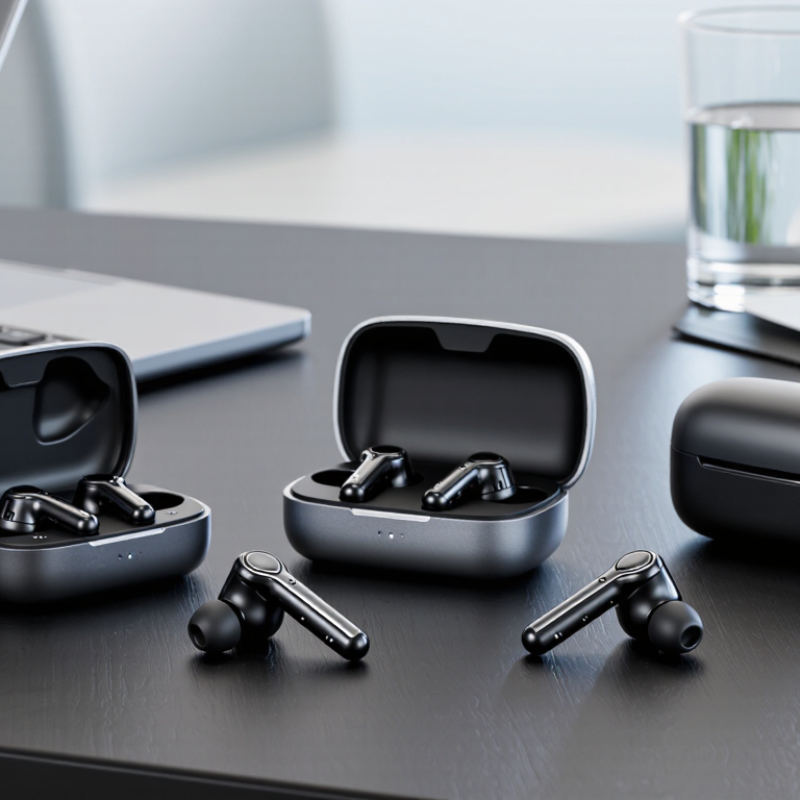
Define the work before choosing earbuds. A warehouse supervisor may need clear voice calls near machinery, while a finance analyst may need quiet focus and comfortable all-day wear. The 2023 Work Trend Index surveyed 31,000 people across 31 markets. It found 68% lacked enough uninterrupted focus time, and 64% struggled to find time and energy for work. These figures point to real needs, but they do not prove earbuds solve them.
Ask employees where and how they work: open offices, home desks, service counters, or frequent calls on the move. Then rank practical requirements. A reliable microphone matters for noisy rooms; a secure fit helps during long shifts; simple controls reduce fumbling between calls. Check battery life against actual shift length, and confirm compatibility with employees’ computers and phones. Small details matter.
Comfort is personal. Test several fit styles with a small group across different roles, and ask about pressure, call clarity, and fatigue after a few hours. Track support requests and return rates during the trial. A tidy spreadsheet will miss some discomfort. It may also reveal that one model cannot serve every team. Keep employee feedback anonymous where possible, and revise the requirements before placing a larger order.
Set a budget per employee, not just per pair. Include charging cases, spare units, shipping, and replacements. A low unit price can become expensive when one missing earbud makes a set unusable. Decide whether your team needs basic call controls or features such as multipoint connection and noise reduction. Keep the list practical. For warehouse staff, secure fit may matter more than a compact case; for frequent callers, microphone clarity deserves closer testing. Check stated battery life against realistic use, since volume and call time can change results.
Procurement should be repeatable. Request samples from shortlisted suppliers and test them during ordinary work: a video call near an air conditioner, a walk between rooms, and a full shift away from an outlet. Record pairing time, comfort after two hours, and how clearly colleagues hear speech. Small details count. Confirm minimum order quantities, delivery windows, warranty terms, and whether replacement units will remain available. Compare total landed cost, not only the quoted price. A spreadsheet helps, though it cannot capture an uncomfortable fit. Set a simple acceptance checklist, then order a pilot batch before committing across the business.
For business use, audio quality should support clear speech rather than overpower it with heavy bass. Listen to a sample call at normal volume, then check whether voices remain distinct in a busy office. A comfortable fit matters too; earbuds that loosen during a long shift can disrupt calls. Small details matter.
Connectivity should match how employees actually work. Check compatibility with their phones and computers, plus multipoint support if they switch between devices. Test pairing, call handoff, and reconnection after walking out of range. Real offices are messy. A feature that works at a desk may feel unreliable near walls or crowded wireless networks, so test it in the intended workspace.
Compare battery life for both earbuds and their charging case, and check how quickly they recharge between meetings. Published figures may reflect ideal conditions, not frequent calls at high volume. Microphone quality deserves a practical test: record a short call near a fan or air conditioner and listen for muffled words and background noise. I would not choose from a specification sheet alone; those numbers rarely capture a hectic workday.
Compare audio, connectivity, battery life, and microphone count across three example specification profiles.
How to use this chart: Longer battery life and more microphones may suit frequent calls and travel. Codec support and wireless range vary by device and environment; codec count alone does not determine sound quality. Values are illustrative example specifications, not measured product results—check current manufacturer datasheets before purchasing.
Before ordering TWS wireless earbuds, check how they pair with the devices your team actually uses. Confirm support for the operating systems, Bluetooth versions, and call platforms in your setup. A quick test on a staff phone and laptop can reveal pairing delays or microphone problems that a specification sheet may not show. Check whether users can switch between devices easily. Small friction adds up.
Durability matters when earbuds move between desks, bags, and shared work areas. Look for clear information about sweat resistance, charging-case protection, and replacement parts. Ask how the product performs after repeated charging, not just during a short demonstration. If employees work outdoors or travel often, test the fit and controls while walking. A compact case helps, but a slippery one can be easy to drop. No test is perfect.
Support should be practical and easy to reach. Before purchase, ask about warranty coverage, repair or replacement procedures, and typical response times. Confirm whether the supplier can provide consistent quantities if your team grows. Save the answers in writing; verbal assurances can be hard to track later. I would also assign one person to collect early user feedback, even if the process feels a little informal. Real use may expose issues that purchasing teams missed.
Test shortlisted earbuds in the places employees will actually use them. Check call clarity beside ventilation fans, in a shared office, and outdoors. Ask users to switch between a laptop and phone, then reconnect after leaving the room. Record pairing time, connection drops, battery life, comfort, and microphone performance. A quiet showroom can hide real problems.
The Bluetooth SIG’s 2024 Market Update forecasts 5.4 billion annual Bluetooth device shipments by 2028. That figure covers Bluetooth devices broadly, not earbuds alone, but it shows why mixed-device compatibility deserves attention. Before rollout, test each shortlisted model with your actual computers, phones, meeting software, and charging routines. Then pilot with a small team for two weeks. Track support requests and replacement needs; a polished trial may still miss the Monday-morning rush. Set a clear process for cleaning, storage, updates, and issuing spare units. Assign one person to review feedback and maintain the equipment list.
Tips: Label cases by team, not just by user. Keep one spare pair near the busiest meeting area. Ask staff what failed, not only what they liked. A neat deployment plan will still need revision.
| Phase | Evaluation Dimension | Suggested Acceptance Criteria | Test Method | Business Deployment Action |
|---|---|---|---|---|
| Define needs | Primary use cases | List the main tasks: voice calls, video meetings, travel, shared workstations, or mobile work. Rank them by frequency and impact. | Survey representative employees and review meeting, mobility, and support requirements. | Document the required user profiles and avoid selecting a single configuration for needs that differ substantially. |
| Set requirements | Call microphone performance | Speech should remain intelligible in quiet rooms and typical office noise; establish a pass threshold with actual users. | Run standardized sample calls in a quiet room and a representative noisy setting. Use the same phone or computer, app, and call route for each candidate. | Prioritize call-focused models for roles with frequent calls; record any environment where performance falls below the agreed threshold. |
| Set requirements | Battery and charging | Require enough tested runtime for the intended shift pattern, with a charging case or charging routine that fits the workday. | Measure playback or call time under consistent settings, including volume and active noise control where available. Compare results with published specifications. | Set charging and storage procedures, and keep a suitable charging option available at work locations. |
| Set requirements | Device and platform compatibility | Confirm reliable pairing and core call controls on the operating systems, devices, and meeting applications employees actually use. | Test pairing, audio, mute, call answer/end, reconnection, and switching behavior on representative managed devices. | Publish an approved compatibility list and include tested setup instructions in onboarding materials. |
| Shortlist | Fit, comfort, and accessibility | Users should be able to wear the earbuds comfortably for the expected session length, with a secure fit and usable controls. | Run a multi-user wear test across different ear shapes and work tasks. Collect comfort feedback at the start and end of sessions. | Offer fit options where available; provide an alternative headset for employees who cannot use in-ear devices comfortably. |
| Shortlist | Wireless stability | Connections should remain stable during normal movement and reconnect predictably after a temporary interruption. | Test in typical work areas and during movement, noting dropouts, reconnection time, and interference-related issues. | Identify locations with recurring wireless issues and document troubleshooting steps for users and support staff. |
| Shortlist | Noise control and awareness | Evaluate noise reduction and transparency features against the work environment; neither feature should replace safe situational awareness. | Compare listening and call experience in quiet and noisy locations. Check that users can hear relevant workplace alerts when required. | Set usage guidance for shared spaces, public areas, and tasks that require awareness of nearby people or alarms. |
| Pilot test | Shortlist comparison | Use the same test scenarios and scoring scale for every candidate. Include end users and IT or support reviewers. | Run a pilot with a representative group; record call quality, comfort, connection reliability, battery experience, and support issues. | Choose based on weighted results and documented user feedback rather than one specification or a single reviewer’s preference. |
| Procurement | Total cost and supportability | Compare purchase cost alongside expected replacement, charging, accessory, warranty, and support requirements. | Request current written pricing and warranty terms; estimate lifecycle cost using the organization’s planned service period. | Confirm purchasing, warranty handling, spare-unit levels, and approved accessories before placing a larger order. |
| Deployment | Setup and user guidance | Provide clear instructions for pairing, charging, cleaning, call controls, and reporting faults. | Ask pilot users to complete setup using the draft instructions and note where assistance is needed. | Distribute concise setup guidance and make support ownership clear for employees and managers. |
| Deployment | Inventory and hygiene | Define ownership, storage, cleaning, and replacement procedures, especially for shared equipment. | Review the proposed process with facilities, IT, and workplace health and safety representatives. | Track assigned equipment; avoid sharing personal-fit ear tips unless appropriate cleaning and replacement procedures are in place. |
| Review | Post-deployment outcomes | Monitor user satisfaction, support requests, connection problems, and replacement needs against a baseline. | Collect feedback after deployment and review support records at an agreed interval. | Update the approved-device list and deployment guidance when evidence shows that requirements or user needs have changed. |
Note: Acceptance criteria are procurement guidelines, not universal product specifications. Validate performance with the organization’s devices, applications, work environments, and users before making a bulk purchase.